

편집이 끝나고 전달받은 editorNo를 저장하여 재편집에 활용해 주세요.
1.
필요 데이터 정리
데이터 타입 | 필수 여부 | 기본 값 | 설명 | |
mall | string | 필수 | 채널 ID | |
userKey | string | 필수 | 토큰 인증 받을때와 동일한 유저 고유 값
(난수 값 x) 유저와 프로젝트 관리 Key | |
authKey | string | 필수 | 인증 받은 토큰 값을 JSON.stringify한 값
ex) JSON.stringify(토큰) | |
channelProductId | string | 선택 | 상품 코드
optionCodes 사용시에만 필요합니다. | |
designTemplateId | string | 필수 | 템플릿 코드 | |
channelProductVariantId | string | 선택 | 상품과 특정 옵션을 포함하는 하나의 고유한 코드
optionCodes 와 택일 | |
optionCodes | string | 선택 | channelProductVariantId 와 택일
옵션이 여러개인 경우 ,로 구분
ex) ⇒ 111,222,333 | |
thumbnailImageType | string | 필수 | path | 경로 : path
파일 : blob |
callback | function | 필수 | 결과 값을 전달받을 함수: (result) => void | |
langCode | string | 선택 | KO | 국가 설정 |
mode | string | 선택 | production | 스크립트의 모드를 설정합니다.
사용가능 값
운영 : production
개발 : development |
* Case 1
•
optionValueId 가 여러개 일 경우 ex) optionValueId,optionValueId,optionValueId
optionCodes 파라미터를 사용합니다.
이 경우에는 channelProductId 값이 필수 값입니다.
호출예시
window.podShop.editor({
mall : "mall",
userKey : "userKey",
authKey : "authKey",
channelProductId : "channelProductId",
designTemplateId : "designTemplateId",
optionCodes : "optionCodes",
thumbnailImageType : "path",
callback : (value) => {}
});
JavaScript
복사
* Case 2
•
channelProductVariantId 값을 알고 있을 경우
channelProductVariantId 파라미터를 사용합니다.
이 경우에는 channelProductId 값은 선택 값입니다.
호출예시
window.podShop.editor({
mall : "mall",
userKey : "userKey",
authKey : "authKey",
designTemplateId : "designTemplateId",
channelProductVariantId : "channelProductVariantId",
thumbnailImageType : "path",
callback : (value) => {}
});
JavaScript
복사
3.
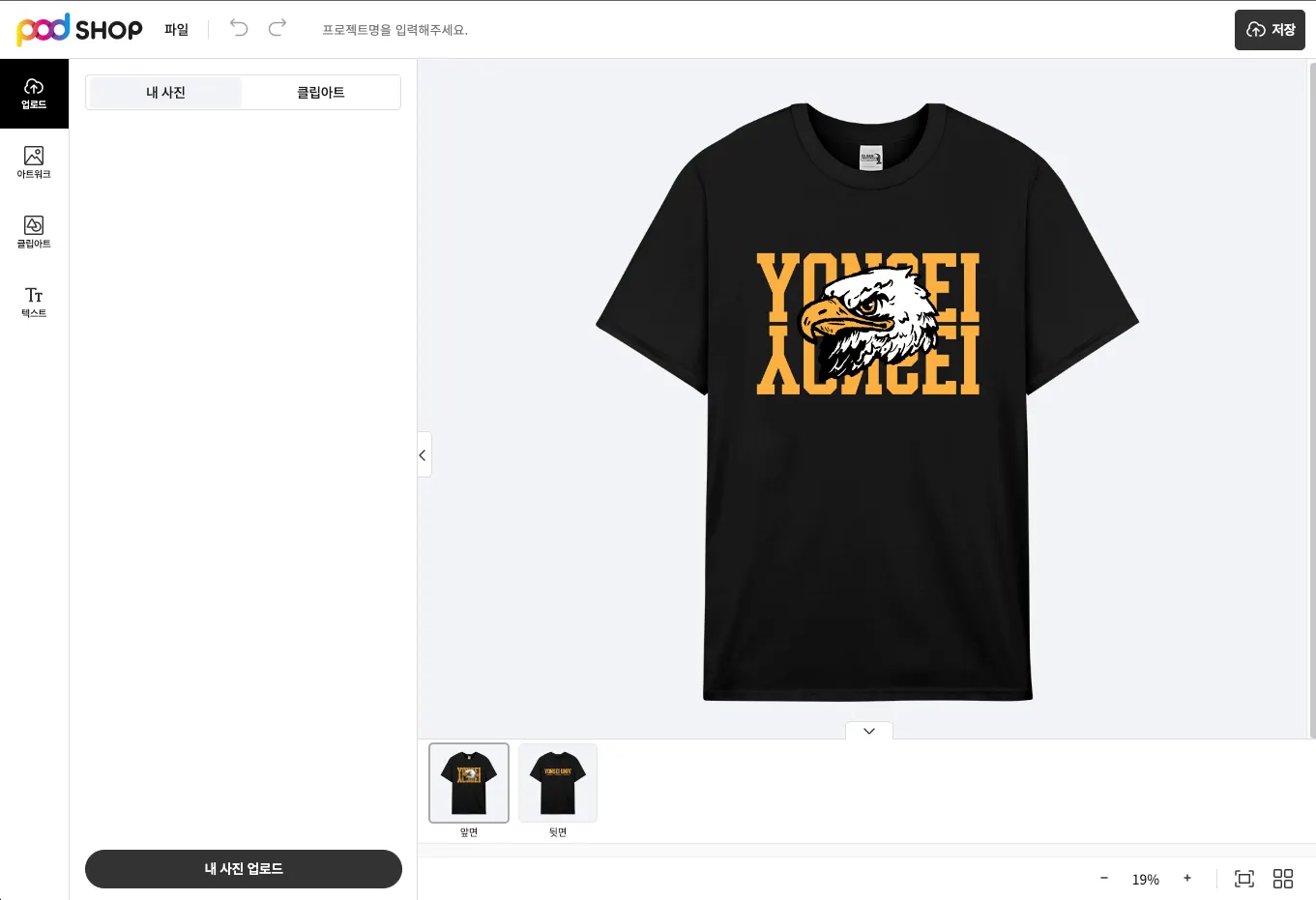
성공화면
3.
수신 데이터
thumbnailImageType이 path인 경우의 저장 결과 예시입니다. blob인 경우 thumbnail은 Blob 객체이며 JSON 값으로 표현하지 않습니다.
{
"status": "200",
"message": "SUCCESS",
"type": "COMPLETE_SAVE",
"data": {
"editorNo": "19785",
"thumbnail": "https://example.com/thumbnail.png",
"projectName": "project name",
"photoFramesEmpty": true
}
}
JSON
복사
변경 이력
•
@11/3/2026: 호출 예시 문법, 콜백 함수 타입과 저장 결과 예시를 정정했습니다. 현재 API·SDK 동작과 문서를 일치시키기 위한 정정이며, 문서 반영일부터 적용합니다.